My Party Is Grinding Ban Policy & Anti-Cheat Rules
How server checks, market selling restrictions, ranking exclusions, and support reviews work in My Party Is Grinding.
My Party Is Grinding operates on a server-checked design where account progress, currencies, items, crafting results, and trades are handled on the server rather than on your PC. Accounts flagged for abnormal play can be excluded from competitive leaderboards and receive Steam Community Market selling restrictions ranging from 2 weeks to 365 days, while stricter enforcement under the server protection policy can apply temporary or permanent account blocks.
For the full early-game walkthrough covering classes, stages, and progression systems, read the beginner’s guide.
How Server-Side Checks Block Cheating
Every session requires an active internet connection because hero progression, currencies, and inventory items are issued, stored, and checked by the server. Crafting outcomes, battle payouts, and trades are decided server-side, so local tampering and item duplication attempts do not work.
Stage rewards follow the same anti-cheat rule during combat. The pending Coin and EXP gains from an active stage are finalized only after clearing the stage, and they disappear if the party falls in battle or moves elsewhere. Even when an early map-travel bug shifted parties one stage ahead of their unlock, the server already rejected invalid clears and payouts caused by the bug.
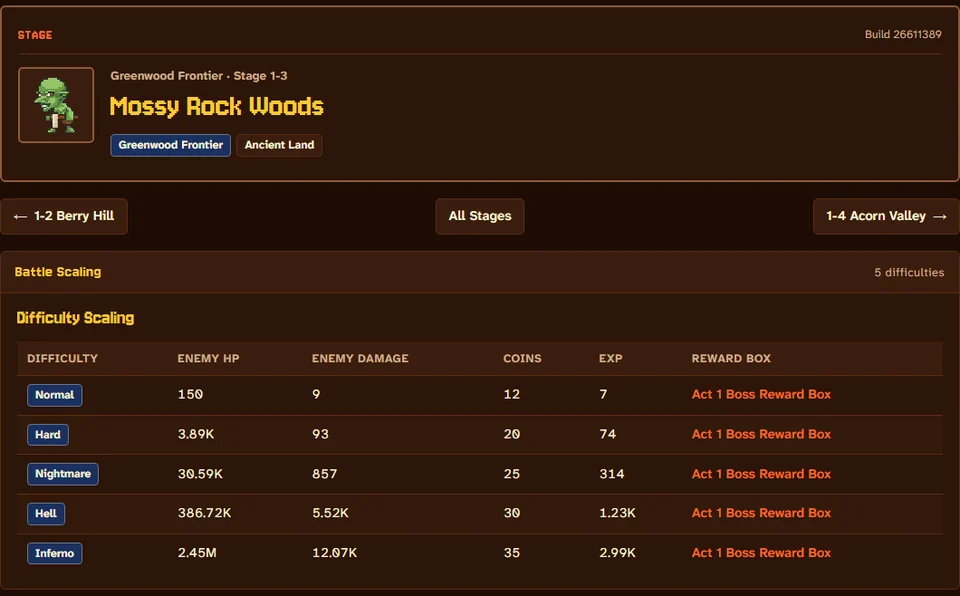
Server validation spans all 5 campaign difficulties—Normal, Hard, Nightmare, Hell, and Inferno—listed across the stages database. On Stage 1-3 ( Mossy Rock Woods), for instance, enemy HP scales from 150 on Normal to 2,446,431 on Inferno, while Coin payouts scale from 12 to 35 and EXP rises from 7 to 2,990.
Version checks also run at login: whenever a mandatory patch ships, older versions must update through Steam before reconnecting. In addition, signing in on another device disconnects your active session until you restart the game on that machine.
Check the platforms and mobile FAQ for supported desktop systems.
Restriction Types: Market Bans, Ranking Exclusions & Account Blocks
Developer announcements and in-game restriction notices outline four enforcement actions depending on the violation:
| Restriction | Scope | Duration |
|---|---|---|
| Market selling restriction | Blocks uploading and selling items through the Trade Vessel while gameplay stays open | Timed restriction; may lift after review |
| Ranking exclusion | Excludes the account from competitive rankings, ranking rewards, and nation buffs | Active while the account restriction stands |
| Temporary account block | Blocks login access under the server protection policy | Lifts at the timestamp shown on the notice |
| Permanent account block | Blocks login access under the server protection policy | Does not expire on its own |
Steam Community Market Selling Restrictions
Introduced in the v1.0.34 update preview ahead of the November 11, 2026 maintenance, Market selling bans span 2 weeks up to 365 days based on whichever difficulty recorded the most recent cheating offense. When a Trade Vessel restriction triggers for abnormal play, uploading and selling items through the Trade Vessel are blocked, though you can keep playing the game and the block may be lifted following review.
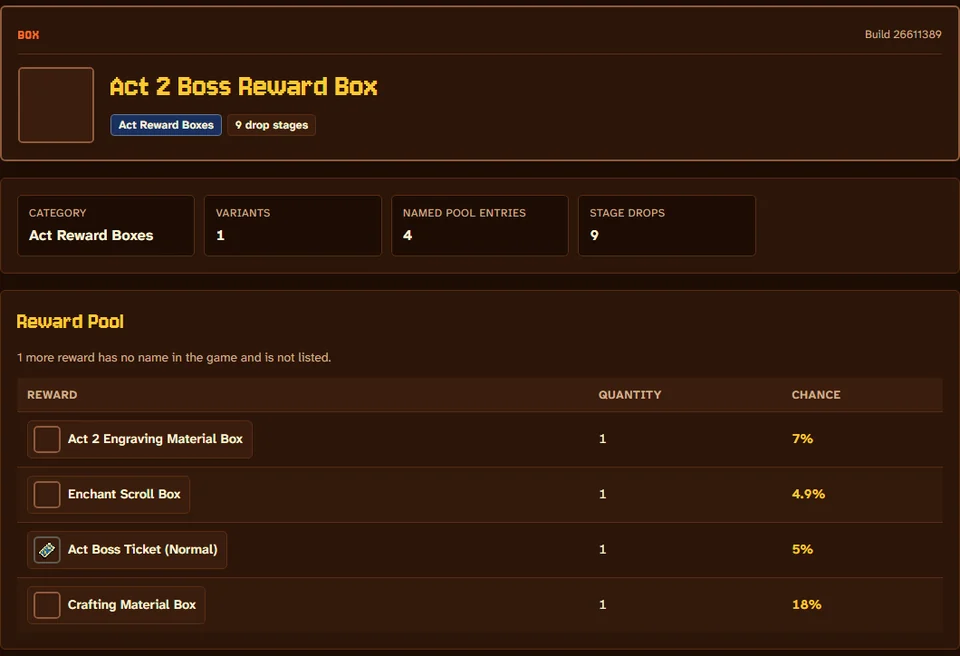
Equipment of Epic grade and above, along with materials of every tier, can enter the Trade Vessel for Steam Community Market trading, so server ownership checks protect drops found in the boxes database. For example, Act 2 Boss Reward Box drops from Stage 2-1 through Stage 2-9 and rolls Crafting Material Box at 18%, Act 2 Engraving Material Box at 7%,  Act Boss Ticket (Normal) at 5%, and Enchant Scroll Box at 4.9%.
For listing slot unlocks and reward chest mechanics, read the market trading guide and the chests and boxes guide.
Ranking Exclusions & Naming Rules
Across the v1.0.20 and v1.0.22 ranking updates, sanctioned accounts are excluded from competitive boards. Stage Rankings track the top 200 players by furthest stage cleared and clear time, while League rankings list the top 100 players per League bracket in the League database.
While an account restriction is active, ranking payouts become unavailable and the account is excluded from Raid leaderboards, rank payouts, and nation bonuses, although personal attempt rewards remain active. Separately, nicknames are capped at 2–10 characters and inappropriate language is restricted.
Temporary & Permanent Account Blocks
When an account is blocked under the server protection policy, the login screen states whether the block is temporary or permanent. Temporary blocks display the time when access restores, whereas permanent blocks do not lift automatically.
Early False-Positive History & Security Updates
Shortly after launch, SUPERLINK Games deployed v1.0.13 to tune abnormal gameplay detection and cut down false positives. During that maintenance window, the studio lifted sanctions on accounts that the automated check had flagged in error.
Server protection continues to receive patches alongside new content. The scheduled Apocalypse maintenance window on November 27, 2026 to November 28, 2026 includes a server security update in addition to the new difficulty and gear.
Appealing a Restriction & Keeping Local Settings Safe
In v1.0.26, SUPERLINK Games added a User Code inside Settings so players can send their User Code instead of their Steam ID when contacting support. If you believe a Trade Vessel restriction or account block was triggered by mistake, copy your User Code from Settings and contact the team on Discord for review.
When troubleshooting login errors, the in-game connection notice advises never pinning an IP or hosts entry and never bypassing certificate checks.
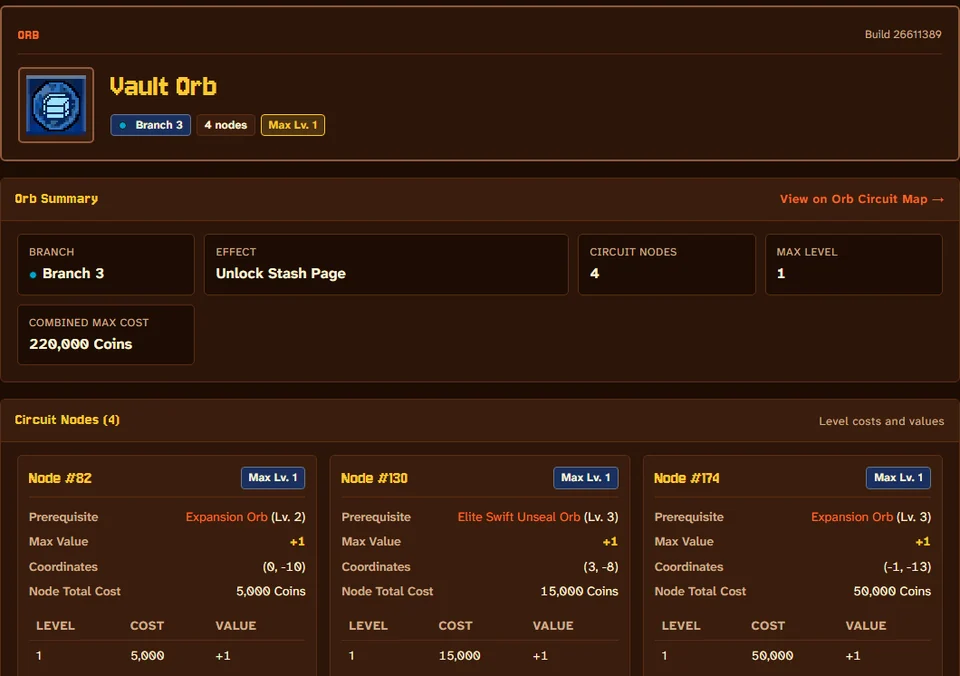
Local file corruption does not erase server progression: if local settings break, the client recreates the settings file automatically, which can reset local preferences without affecting progress stored on the server. Unlocks in the Orb Circuit database—such as  Vault Orb in Branch 3, which holds 4 stash-unlock nodes totaling 220,000 Coins—stay saved on your server profile through settings resets.